
Nutrition Label Maker
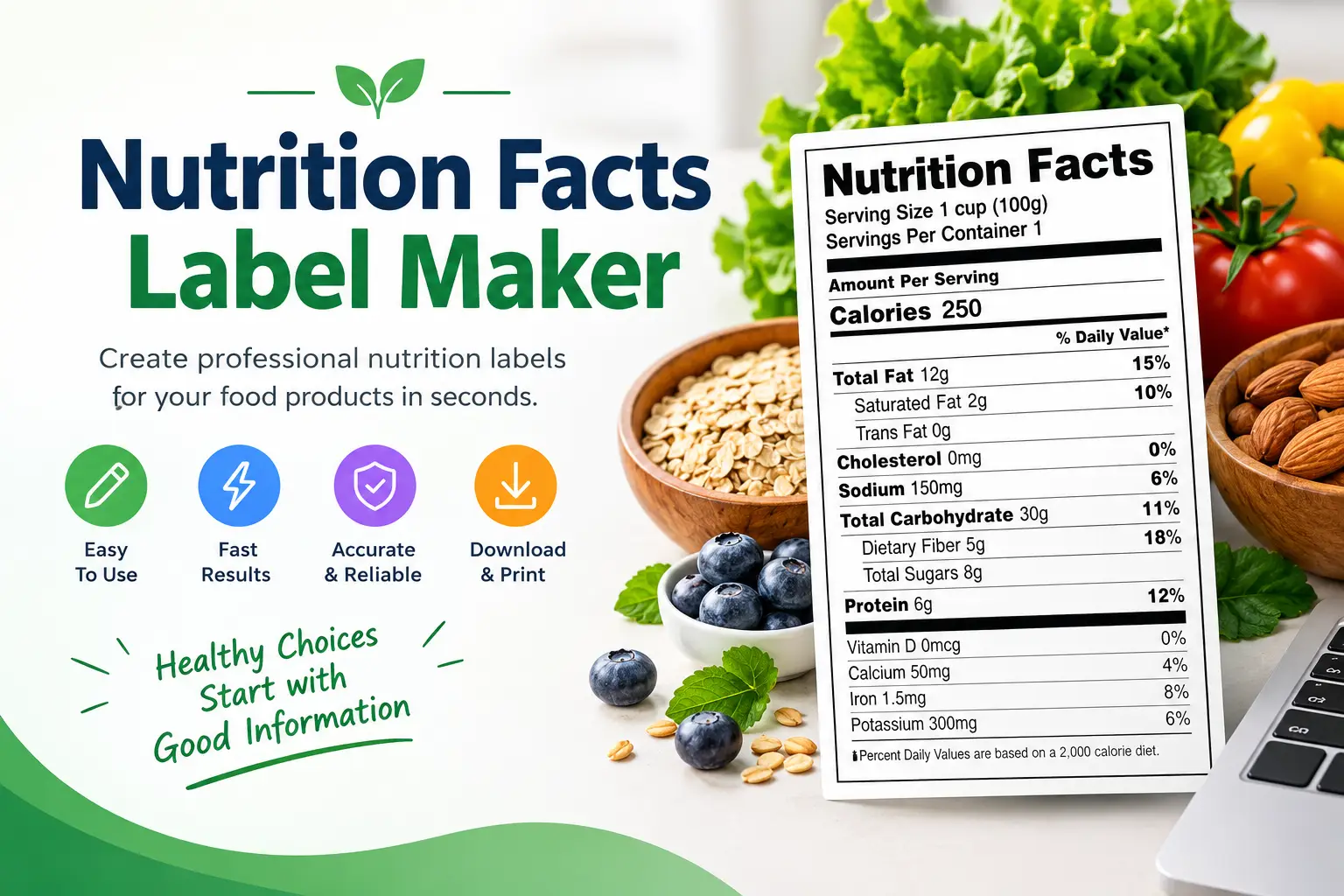
Create nutrition labels for your recipes, food products or meals with this free nutrition label maker. Enter your product name, serving size and nutrition values then instantly create an FDA-style label that you can print or save as a PDF. This tool is useful for home cooks, food bloggers and small food businesses.
What is a Nutrition Label Maker?
A nutrition label maker is a tool that helps you create FDA-style nutrition labels for your recipes, food products or meals. These labels provide information about the content of your food including calories, fat, carbohydrates, protein and important vitamins and minerals. Whether you are a home cook, a food blogger or a small food business owner this nutrition label maker makes it easy to create labels that look professional.
Nutrition labels are not for commercial products but they also help you track your macros manage portion sizes and make better food choices. This free tool is completely online. Requires no sign‑up.
How to Use the Nutrition Label Maker
Using this food label maker is simple:
- Enter your product name like "Homemade Granola" or "Protein Bar."
- Enter the serving size like "1 cup (30g)" or "1 bar (50g)."
- Enter the number of servings per container like 8.
- Enter the nutrition values per serving: Calories, fat, saturated fat, cholesterol, sodium total carbs, fiber, sugars, protein and important vitamins and minerals.
- Click "Generate Nutrition Label": see a preview of your label.
- Print or save as PDF: use the print button to print your label or save it as a PDF using your browser’s print function.
Why Use a Nutrition Label Maker?
There are reasons to use a nutrition label maker:
- Track your macros: Knowing the exact nutritional content of your food helps you reach your fitness goals.
- Manage portions: Labels show serving sizes making it easier to control portions.
- Identify allergens: Labels can highlight allergens, which's important for people with food sensitivities.
- Meet FDA requirements: If you sell food products FDA rules require nutrition labels on packaged foods.
- Build trust: Providing nutrition information builds trust with customers and readers.
Understanding Nutrition Labels
A nutrition label includes the following parts:
| Part | What It Means |
|---|---|
| Serving Size | The amount of food usually eaten in one sitting. |
| Calories | The energy content per serving. |
| Total Fat | Includes saturated, unsaturated and trans fats. |
| Saturated Fat | A type of fat linked to heart disease when eaten in amounts. |
| Cholesterol | A waxy substance found in animal products. |
| Sodium | Salt content, important for managing blood pressure. |
| Total Carbohydrates | Includes fiber, sugars and starches. |
| Dietary Fiber | Indigestible plant material that helps digestion. |
| Total Sugars | Includes added sugars. |
| Protein | Essential for muscle repair and growth. |
FDA Label Requirements (Short Summary)
If you are selling food products your labels must follow FDA rules. Key requirements include:
- Statement of Identity: The name of the food.
- Net Quantity of Contents: The amount of food in the package.
- Nutrition Facts Panel: As shown in this tool.
- Ingredient List: Listed in order from first to last, by weight.
- Allergen Declaration: Major allergens must be clearly stated.
- Place of Business: The. Distributor.
Our tool creates labels for use. For products always check FDA guidelines. Talk to a food labeling expert to ensure you are following the rules.
The Difference Between a Nutrition Label Maker and a Nutrition Facts Label Maker
You might notice that our website has tools with names, such as the Nutrition Facts Label Maker and the Nutrition Label Generator. Why does this happen? People use words when searching for these tools. Whether you search for "label maker" "label generator" or "facts label maker" you are looking for a clean professional FDA‑style Nutrition Facts panel. We provide pages that help you find the tool by using the words you naturally type.
Why Added Sugars Are Important in Modern Labels
In 2016 the FDA updated the Nutrition Facts label for the time in over 20 years. One of the updates was the requirement to list Added Sugars.
- Total Sugars includes all sugars: the sugars that're naturally in the food, such as fructose in fruit or lactose in milk plus any sugars that are added during processing.
- Added Sugars specifically refers to sweeteners that are added to the product, such as table sugar, fructose corn syrup, honey or agave.
When you use this label maker for your recipes this label maker is best to calculate how sugar you are adding, manually. Health‑focused people are trying to reduce their intake of added sugars. Showing this amount on your label or keeping it low can make your recipe or product more appealing.
Understanding Serving Size vs Portion Size
This is one of the sources of confusion in nutrition tracking:
- Serving Size: This is the amount of food used to calculate the numbers on the label. For example the label might say "Serving Size: 1 cup (30g)." If you eat 1 cup you consume the calories listed on the label.
- Portion Size: This is the amount of food you actually choose to eat. If you pour 2 cups of that granola into your bowl your portion size is 2 cups. You must double all the calories and macros on the label to get a count.
When creating labels for your recipes always use serving sizes so people can easily track their intake.
Allergen Labeling: What You Need to Know
If you are making labels for products you plan to sell you must be aware of the FDA’s nine food allergens. These allergens must be clearly stated on the packaging. They are:
- Milk
- Eggs
- Fish
- shellfish
- Tree nuts
- Peanuts
- Wheat
- Soybeans
- Sesame (added in 2023)
Even if you are just making labels for a bake sale or a small local market adding a "Contains: [Allergen]" statement under your ingredient list is a sign of professionalism. Helps keep your customers safe.
FAQs About Nutrition Label Maker
Related Tools
Related Articles
- Five Food Groups: A Complete Guide, to Balanced Nutrition
- Saturated vs Unsaturated Fats
- Lean Bulk Guide: How to Gain Muscle Without Fat