
Nutrition Label Generator
Create nutrition labels for your recipes, food or meals with our free nutrition label generator! Just type in your product name, serving size and nutrition values. We will do the rest! Make an FDA food label that you can print or save as a PDF. Great for food bloggers, home cooks or small food businesses!
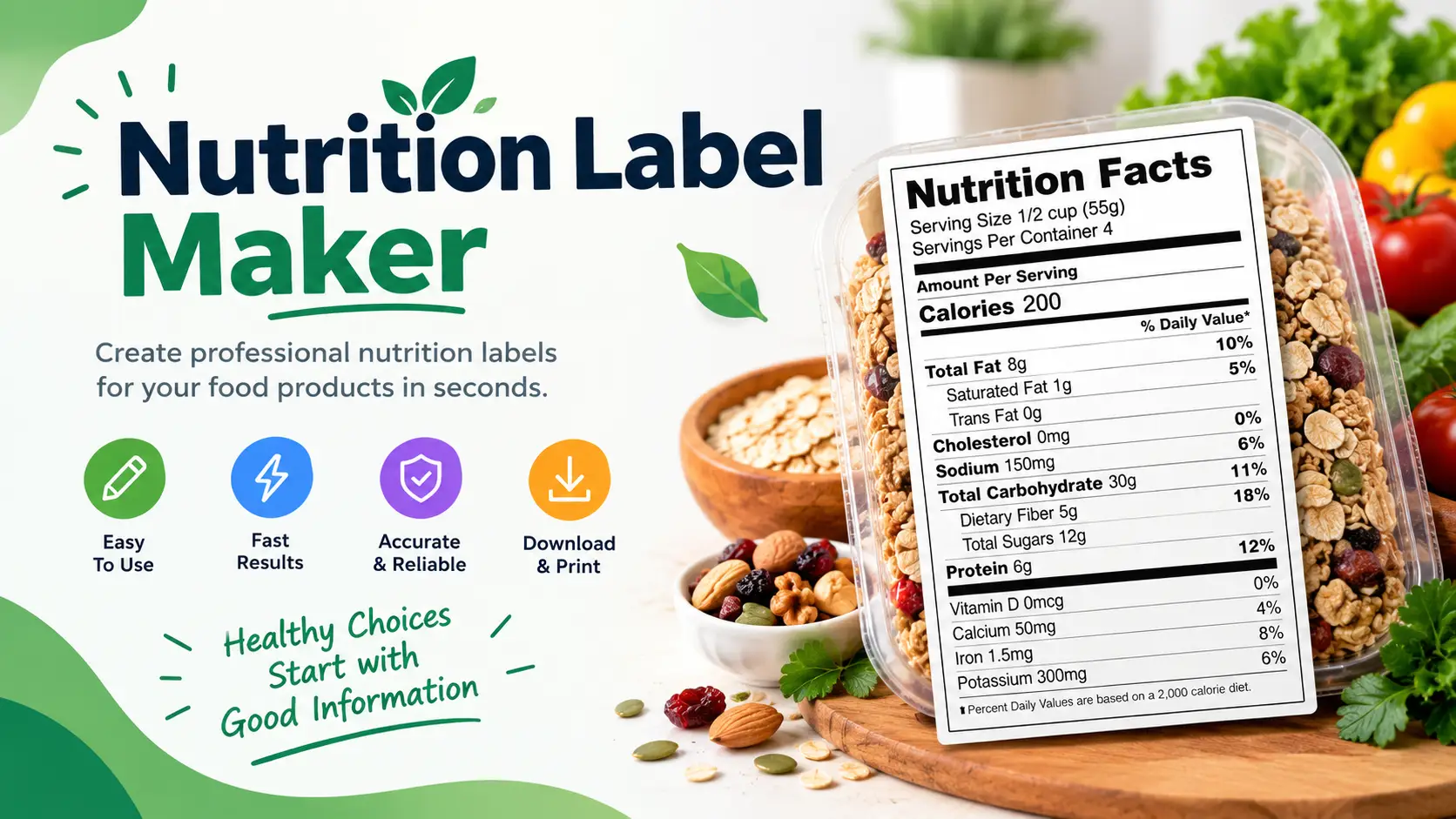
What is a Nutrition Label Generator?
A nutrition label generator is a tool that helps you make FDA-style nutrition labels for your recipes, food products or meals. These labels will show details about the food items value, like calories, fat, carbs and protein. Whether you are a food blogger or a home cook our free nutrition label generator helps you make nutrition labels for your goods or recipes.
What is this tool used for?
Our free nutrition label generator helps you quickly and easily create FDA style nutrition labels for your recipes, food products or meals.
How to use this tool
To use our nutrition label tool
- Type in your product name for example "Homemade Granola" or "Protein Bar".
- Type in the serving size for example "1 cup (30g)" or "1 bar (50g)".
- Type in the number of servings per container for example 8.
- Type in the nutrition values per serving: Calories, fat, saturated fat, cholesterol, sodium total carbohydrates, fiber, sugars, protein, vitamin D, calcium, iron, potassium and vitamin A.
- Click "Generate Nutrition Label": You will see a preview of your nutrition label.
- Print or save the label: You can print your label using the print button. Save it as a PDF by clicking on the print icon in your browser.
Why should I use a nutrition label generator?
There are reasons to use a nutrition label generator, including:
- Being able to track your macros and stay on track with your fitness goals
- Being able to see the serving size and control your portions
- Being able to see what ingredients are in your food and identify any possible allergies
- Having the right information to meet FDA requirements for food labels if you're selling your product
- Being able to give your customers or readers the best information possible
Everything You Need to Know About Nutrition Labels
There are several pieces of information that appear on most nutrition labels including:
| Component | Description |
|---|---|
| Serving Size | How much of the food makes up one serving. |
| Calories | How many calories are in one serving. |
| Total Fat | The amount of fat in one serving of food including saturated, unsaturated and trans fat. |
| Saturated Fat | The amount of fat that is unhealthy when eaten in amounts. |
| Cholesterol | The amount of cholesterol in one serving of food. |
| Sodium | The amount of salt in one serving of food. This helps you track your sodium intake. |
| Total Carbohydrates | The amount of carbs in one serving of food including fiber, sugars and starches. |
| Dietary Fiber | The amount of fiber in one serving of food. Fiber helps keep you full and aids in digestion. |
| Total Sugars | The amount of sugars in one serving of food including both added sugars. |
| Protein | The amount of protein in one serving of food. Protein is essential for building and repairing muscles. |
FDA Label Requirements (Brief Overview)
If you're making a nutrition label for a food item you sell commercially you'll want to know the FDAs requirements for food labels. The FDA has a guide for food label requirements for commercially sold products. Here are some of the requirements:
- Statement of Identity: This is the name of the food.
- Net Quantity of Contents: This shows how much food is in the package.
- Nutrition Facts Panel: The nutrition facts panel shown in this tool.
- Ingredient Statement: A list of ingredients used to make the product in order of weight.
- Allergen Information: Any major allergens used in the product must be stated clearly.
- Place of Business: The. Address of the manufacturer or distributor.
This tool creates nutrition labels for personal use only. If you're creating food labels for use make sure you follow all FDA guidelines for food label requirements.
Is a "Nutrition Label Generator" the same as a "Nutrition Facts Label Maker" ?
You might have noticed that there are similar tools on this page. Why is that? Well sometimes people use different terms when they are looking for a certain tool online. In this case people tend to search for a "Nutrition Label Generator". We've created a few ways to get there. Basically the end result is the same FDA-approved nutrition facts panel. We've provided ways to get there in case you prefer one over the others!
What is the difference between "Serving Size" and "Portion Size"?
This is one of the common questions people ask about nutrition labels:
- Serving Size: This refers to a measured amount of food. On nutrition labels you'll typically see the serving size in both cups/units and grams. For example: "1 cup (150 calories)". This is the amount of food used to calculate the nutrition facts on the label. Serving size is standardized based on portions.
- Portion Size: This refers to how food you choose to eat. It can be larger or smaller than the serving size. For example if the nutrition facts say there are 150 calories in 1 cup of food but you eat 2 cups your portion size would be 2 cups. You would be eating 300 calories. Always keep in mind that the FDA uses serving size as the basis for calculating the nutrition facts so make sure you stick to the serving size if you want to track calories and macros accurately based on the label!
Why is "Added Sugar" a required line item now?
In years the "Added Sugar" line has been added to Nutrition Facts labels. This is because many processed foods contain amounts of added sugars that can contribute to health issues if consumed in excess.
- Total Sugars: This includes both sugars naturally occurring in food (such as lactose in dairy and fructose in fruit) and added sugars
- Added Sugars: This specifically refers to sugars that have been added to food during processing or preparation such as fructose corn syrup, sucrose and others.
When using this tool to create nutrition labels for recipes it's important to differentiate between the two if applicable especially if you're using sweeteners. Many health-conscious individuals are looking to reduce their intake of added sugars so having this information can be helpful for them. Note that manufacturers are also required to include this information on commercial product labels.
The Importance of Ingredient List
This tool focuses on the FDA-approved Nutrition Facts panel. Its important to remember that a complete food label also includes an Ingredient Statement.
The FDA has requirements for how ingredients should be listed on food labels. Ingredients are listed in order of weight with the ingredient first and the lightest ingredient last. If you're making a food product for sale having an accurate and complete ingredient list is crucial. This is because the ingredient list tells consumers what the product is made of and can affect their purchasing decisions. In addition the ingredient list helps manufacturers properly label their products according to FDA regulations.
FAQs About the Nutrition Label Generator
Related Tools
Related Articles
- Five Food Groups: A Complete Guide to Balanced Nutrition
- Saturated vs Unsaturated Fats
- Lean Bulk Guide: How to Gain Muscle Without Fat